GitOps Export
OpenShift console plugin
Scan a namespace from the OpenShift console, classify each resource, remove cluster-generated noise, download Git-ready YAML, and generate Argo CD Application manifests from the same browser workflow.


Quick Start
- Install
- Export
- Argo CD
oc apply -k manifests/overlays/install
oc -n gitops-export-console rollout status deployment/gitops-export-console
oc wait --for=condition=complete job/gitops-export-console-install-patcher \
  -n gitops-export-console --timeout=120s
Refresh the OpenShift console and open the GitOps Export tab on a Project or Namespace details page.
Project or Namespace page
  -> GitOps Export tab
  -> choose Secret handling and resource kinds
  -> Export
  -> Download ZIP
The ZIP contains README.md, optional WARNINGS.md, and manifests grouped under manifests/include/, manifests/cleanup/, and manifests/review/.
Latest scan result
  -> GitOps definition
  -> set repository URL, revision, path, and Application name
  -> copy the generated Application YAML
The form pre-populates in-cluster destination server, scanned namespace, openshift-gitops, default, and manual sync mode.
Explore
Screenshots
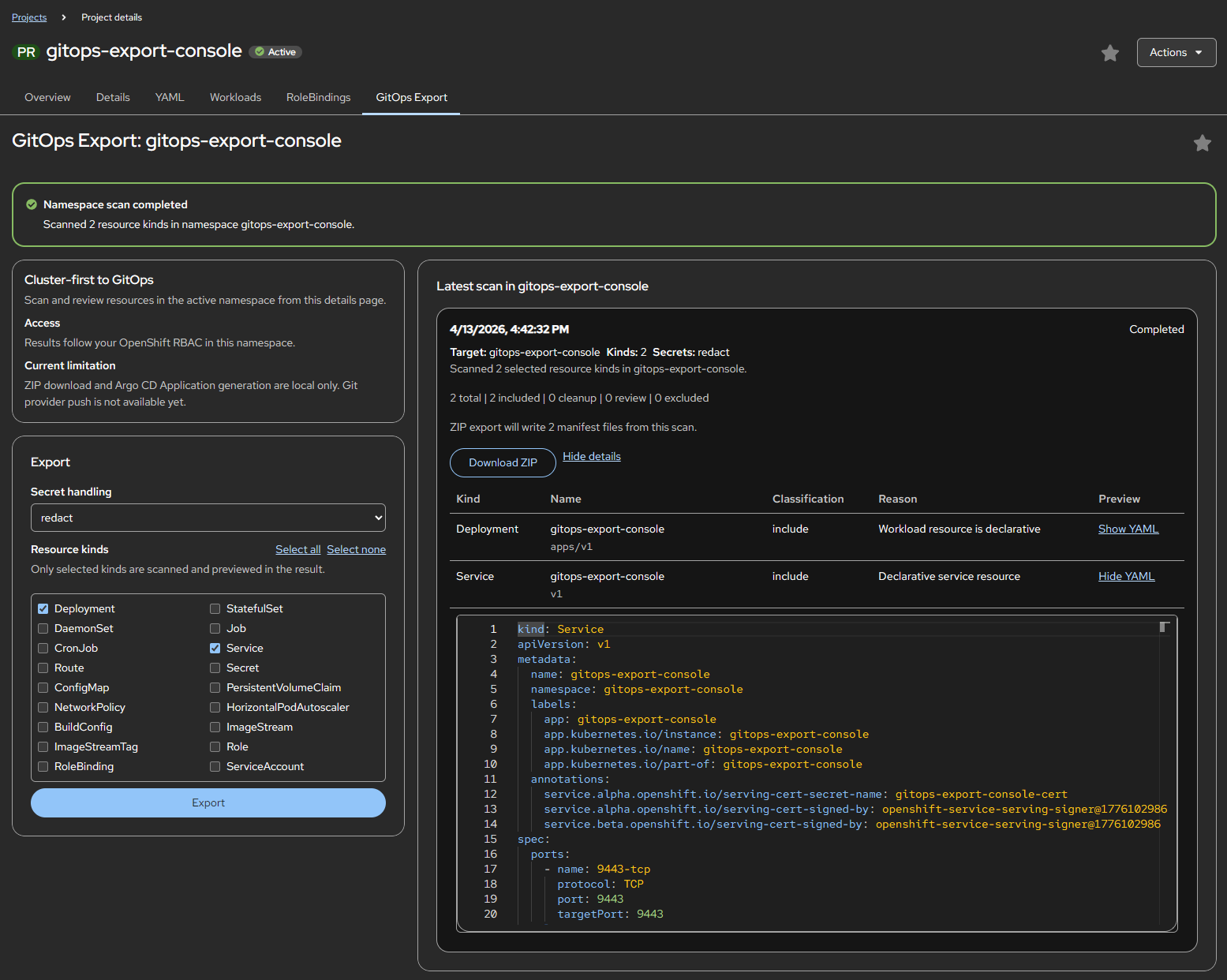 Scan summary, classification labels, and YAML previews inside the OpenShift console.
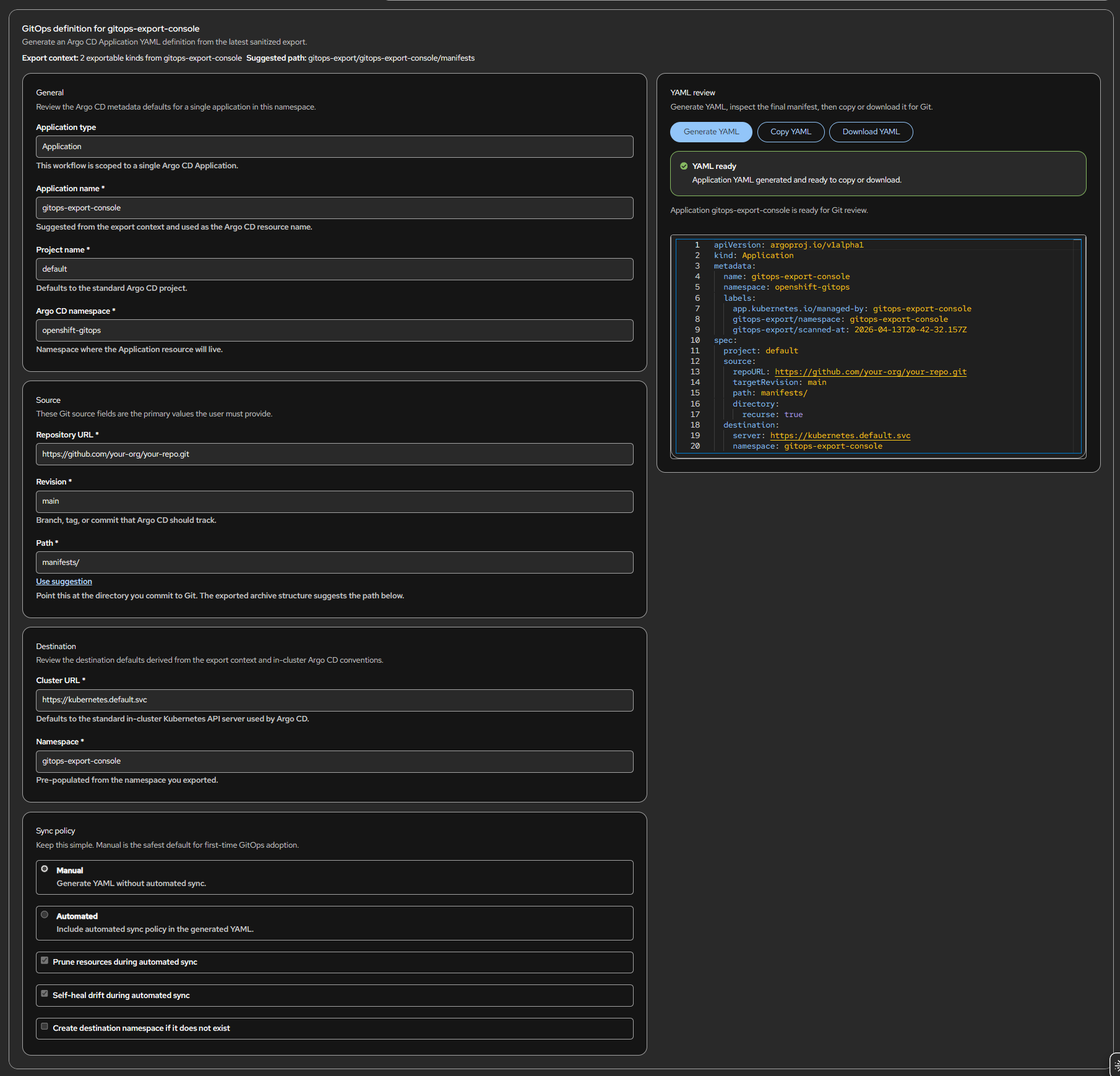 Argo CD Application generator with local defaults and generated YAML review.
Operating Model
| Area | Current model |
|---|---|
| Scope | Single namespace, browser-side scan |
| Output | Sanitized YAML previews, ZIP archive, Argo CD Application YAML |
| Auth model | OpenShift console session and namespace RBAC |
| Runtime | Static plugin served by nginx, no backend API |
| Install path | Kustomize overlay plus one-time console patcher Job |
GitOps Export is intentionally narrow. It does not push to Git, install Argo CD, or modify target namespace resources. It helps users convert live namespace state into reviewable GitOps artifacts.